Affichage des articles dont le libellé est facebook. Afficher tous les articles

dimanche 11 décembre 2016

iPhone 5

The excitement of the rumour mill and the titillation of every leaked photo led to higher than ever levels of expectation over the iPhone 5 features, and while the announcement was greeted with some derision at the lack of perceived headline improvements, the record sales tell an entirely different story.
Given the underwhelming changes to the iPhone 4S, the iPhone 5 launch really needed to re-energise customers to prove Apple can repeat the game-changing trick it managed with the iPhone 4.
The iPhone 5 price was predictably high, but it's now four generations old and Apple has stopped manufacturing and selling the handset. You can still pick it up, although you're likely to only find second hand or refurbished – but if you're desperate for an iPhone on a budget it's still not a bad shout.

Design

I'll begin in the traditional manner: how the thing actually feels in the hand. With the iPhone 5 there will be many types of prospective buyer: the upgrader from the 4 (or more-money-than-sense iPhone 4S upgraders), those tired of their Android handset and those taking their first steps in the smartphone market and want to get one of them iThingies their friend/child has.
iPhone 5 review
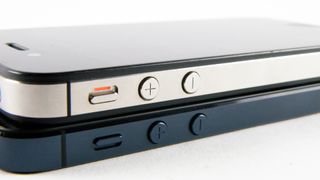
Well, all of those picking up the iPhone 5 will have the same reaction: this thing is amazingly light, especially compared to the supersized Andrid phones you get nowadays. It's 20 per cent lighter than its predecessor, and tips the scales at 112g.
It's an odd sensation, but it actually detracts from the experience when you first pick it up. I've praised the weighty feel of the iPhone in the past, lending it a premium feel in the face of toy-like phones, and it's almost disappointing that Apple decided to join that clan.
However, through extended use this problem quickly disappears. The overall effect of the phone is still a chassis designed for strength, and so it feels solid, if somehow a little hollow; pleasantly, though, it sits more anonymously in the pocket.
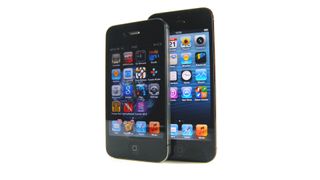
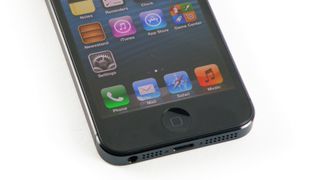
You'll obviously see the change in height too – the iPhone 5 stands 123.8mm tall to allow for the larger 4-inch screen. In truth, those not familiar with the iPhone 4S probably wouldn't notice the difference, which is why it's a good move from Apple to include the larger screen if it's not going put people off that hate larger phones.
iPhone 5 review
The decision to stick at 4 inches is Apple's admission that while it recognises people are all over the idea of having more screen real estate to play with it doesn't want to move away from the thumb-friendly nature of the device. There's still a call for the smaller screen size now, with the launch of the iPhone SE testament to the 4-inch form factor's popularity.
Through a mixture of moving the centre of gravity slightly as well as repositioning the screen within the bezel, it's still possible to scroll your thumb mostly around the whole display one-handed, which Apple is clearly keen to keep hold of.
iPhone 5 review
However, we're not convinced of that argument any more, and it's the first iPhone where comfort to some extent really does depend on the size of your hands. For many people, it is possible to move a thumb around the entire display, albeit with a little more stretching than on previous models; anyone with smaller hands might find the top of the screen out of reach. For everyone, the Home button is harder to access when holding your phone comfortably.
The net result is a curious one: a device that's more pleasant on the eyes and nicer to hold, but frequently more awkward to use than its predecessor. Newcomers might not notice that, but the compromise will be clear for upgraders from the iPhone 4S.
iPhone 5 review
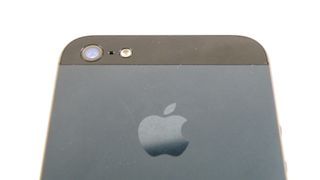
The general construction of the iPhone 5 is excellent, to say the least. We've tested both the ceramic white version and the anodised black, and the two tone effect on the back of the phone is stunning, both visually and under the finger.
It doesn't beat the sheer beauty of the HTC One S, with its micro-arc oxidised back and rounded lines, but it's well-set in second place.
iPhone 5 review
The two sections of pigmented glass at the top and the bottom of the phone add a pleasant effect, and the sapphire glass is meant to be thoroughly durable, to complement the Gorilla Glass on the front.
Apple knows consumers get furious when they drop and iPhone, and is clearly seeking to stop the smashes before they happen with a tougher exterior - although it seems the anodised black version is pretty prone to scratching, with a number of users mentioning chipping on the darker hue.
  • Need a case for your iPhone 5? These iPhone SE cases will fit your phone too
Phil Schiller, Apple's Senior Vice President of Marketing, reportedly replied to an email from a user pointing out that aluminium will scratch and chip in natural use - and we're also hearing that white iPhone 5 models are being returned through flaking as well.
We kept our black iPhone 5 in a soft pocket in a bag for much of its life, yet saw the following chip with minimal key / coin contact in under a fortnight:
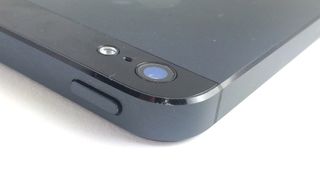
iPhone 5 chip
For a device of this premium quality, users will expect it to survive the pocket test, and especially do so for the first two weeks of life. It's a big fail for Apple to expect users to accept that a product can be damaged so easily.
The same industrial band around the outside is in effect again as on the iPhone 4 and 4S, with small sections removed where the antenna joins.
Apple has gone for a more advanced form of antenna here, meaning the days of lost signal are gone, and generally increasing the power of your call connection and GPS lock on too.
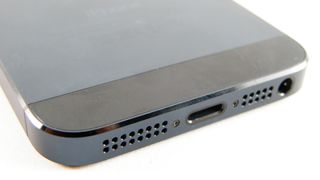
iPhone 5 review
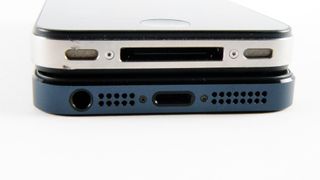
There are other big design changes here too: the headphone jack has moved to the bottom of the phone, and the iconic 30-pin connector has been retired in favour of the new Lightning port, giving a headache to all those that have invested in chargers, docks and other accessories over their iPhone lives.
You can buy an adaptor, but it's pricey. And unless you want to keep it permanently attached to the bottom of the iPhone 5 you'll need to buy a few, which is far from ideal.
However, let's not harangue Apple too much for this: a smaller connector is not only easier to use (you can plug the smaller cable in either way round, and the connection feels more solid), but you're rewarded with a thinner and more compact phone to boot. Plus, four years on this is much less of an issue.
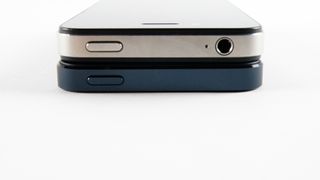
iPhone 5 review
There's also a small chink of light on the top right hand side of the iPhone 5 - when the screen is illuminated, you can see it under the band if you really, really look for it. It's been seen by a number of users, but is hard to actually replicate unless you mask the screen and hold it at the right angle.
It's again a sign of slightly under-par machining from Apple, but in day to day use it's almost completely invisible.
The decision to move the 3.5mm headphone jack to the bottom is an odd one, as while it allows you to slip the phone into the pocket head-first when listening to music, which is a more natural action, it's a real pain in the posterior for some apps that will only work in landscape a certain way up.
Using it this way means your headphones experience will be one of having to jiggle the jack around two fingers.
It's not the most comfortable way to hold a phone, and even when using the phone in portrait mode, the jack gets in the way somewhat. Plus it's miles away from the volume keys, which makes it hard to change the audio level in the pocket if you don't use the dedicated headphones.
There are other smaller design changes to the iPhone 5 too, such as the iSight front-facing camera moving to the middle and the home button being noticeably more robust to help reduce instances of a broken portal to your home screen.
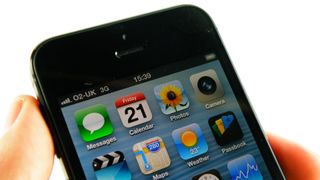
iPhone 5 review
But enough about what the phone looks like - the killer question is how the thing feels in the hand. And we'll sum it up by saying: smooth. Some might find it a little slippery (we were always worried we would drop the darned thing), but unlike the glass-backed iPhone 4S, the iPhone 5's unlikely to make a surprise trip off of a sofa and onto a wooden floor of its own accord.
So beyond the slightly odd form factor for those upgrading, and scratch issues for the black model, the design's again extremely strong. For the most part, the iPhone remains a device suitable for use one-handed, although quibblers might grumble whether it's quite as ultra-high spec as it should be - the lock button remains loose, so you can hear it clicking if you shake the phone.
That undoes some of the premium feel Apple's going for, at least if you take to shaking a phone by your ear; more seriously, this device did have a high up-front charge so we'd argue it should be near perfection and free from noticeable (if admittedly small) blemishes.
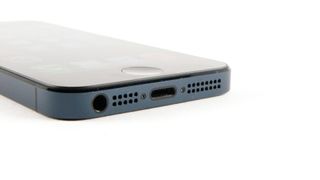
iPhone 5 review
And while it looks nice, from the front it doesn't really add much to the design of the iPhone - it's certainly not the same as the jaw-dropping design of the iPhone 4 compared to the 3GS... it's another evolution in the iLine. It's not bad, but for those that hoped the iPhone 5 would be another step change there's a good chance they'll be disappointed about the look... until they feel the lovely back on offer.

There was a real chance here for Apple: remove the bezel and give the front of the screen a look that's similar to the OLED TVs from the likes of Samsung or LG… but instead we're treated to the same lines as before.

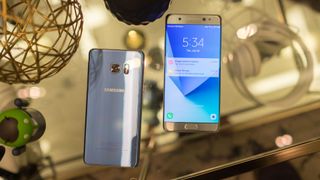
Samsung Galaxy Note 7

Update: Samsung Galaxy Note 7 – the twice recalled and ultimately cancelled smartphone – will return next year in the form of the Samsung Galaxy Note 8, according to Samsung. Not deterred by its explosive battery scandal, the South Korean company plans to move forward with the Samsung Galaxy S8 early next year and Galaxy Note 8 before the end of 2017.
Note from the editor: You should stop using the Samsung Galaxy Note 7 and return is immediately. Although it scored an impressive 4.5 stars in its in-depth TechRadar review and we experienced no significant problems, Samsung has recalled all Galaxy Note 7 handsets, including the “safe” replacements it sent out that can also pose a danger. The South Korean firm has ceased production on the phone.
Samsung is offering to compensation toward your next phone, even helping youpay for an iPhone.  You should take advantage of that, as it's now illegal to US flights. It's that serious.
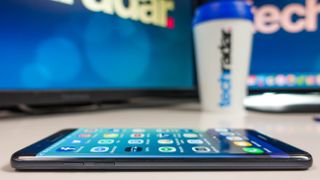
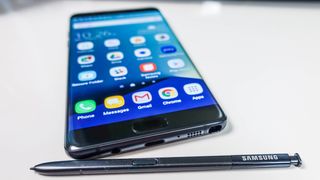
The Samsung Galaxy Note 7 is the large-screen phone for 2016 that Android power users have been anxiously waiting to upgrade to, and it takes several cues from the Galaxy S7 Edge.
Sure, the S7 Edge already stretched our fingertips into near-phablet territory with a 5.5-inch display in March. But it didn't have two Note-series staples: a 5.7-inch screen and the S Pen.
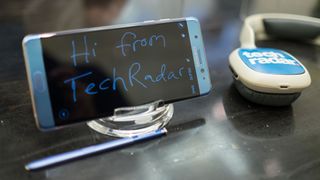
The Note 7 maximizes the screen space, while minimizing its body, and it includes a small stylus that slides right into the phone – no matter which way you put it in this time.
All of this makes it larger and heavier than most of today's phones. But it's a worthy trade-off if you can wrap your meaty paws around its elegantly curved glass and aluminum frame.
Returning features include a microSD card slot for extra storage, absent from last year's Galaxy Note 5, and an IP68 water-resistance rating, normally limited to the S range, which makes this first Note phone that's both waterproof and dustproof to a point.
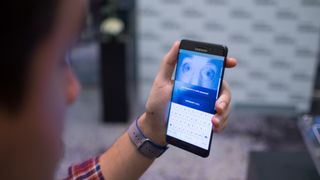
New in the Note 7 is an iris scanner, Samsung's latest novelty act and your next party trick. You never knew you needed to unlock your phone with your eyes – and, truthfully, you really don't. The fingerprint sensor is still here and works just fine.
This now-launching Android phablet is especially anticipated in the UK and Europe – the S Pen upgrade is long overdue there. Samsung made the bizarre decision not to launch the Note 5 outside of the US and a few other countries.
Skipping over the Samsung Galaxy Note 6 name, the Note 7 is meant to bring it into line with the Galaxy S7 series – and steal the thunder of Apple's iPhone 7and iPhone 7 Plus.
It's certainly among the best phones available right now, big or small. Let's take a look to see if the sizable Samsung Galaxy Note 7 is the right fit for you.

Release date and price

  • August 19 in the US for about $33 a month
  • August 19 in Australia for AU$1,349
  • September 2 in the UK for £749
The Samsung Galaxy Note 7 release date is August 19 in the US and Australia, and September 2 in the UK. Don't worry, it's coming this time. Pre-orders In the UK launch earlier last week, August 16.
Note 7 review
In the US, it costs between $33 and $36.67 a month on device payment plans with AT&T, Verizon, T-Mobile or Sprint. That's basically the full price spread out over 24 months. Without a contract, it's anywhere from $850 (T-Mobile and Sprint) to $880 (AT&T). Sprint is the only one offering old two-year contracts in exchange for $350 upfront. Samsung is likely to wait four months for a SIM-free unlocked Note 7, just like it did with the S7 Edge.
The Note 7 UK price is simpler, but still expensive at £749. In Australia, it's pricey, too, at AU$1,349. But if you pre-ordered in certain stores, you'd receive a bonus: either a Samsung Gear Fit 2 fitness tracker or a Samsung 256GB microSD card, your choice. Shop around to see if that's still available.

Design

  • Stylish curved glass design with Gorilla Glass 5
  • Hot new Coral Blue shade is one of four colors
  • USB Type-C, microSD card slot and IP68 waterproof
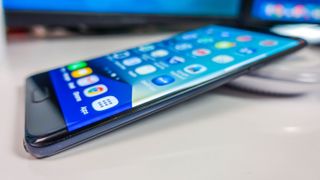
You best like futuristic-looking edge-to-edge displays, because this screen wraps around the left and right sides of the handset with space-age curved glass. No, there's no flat Note 7, grandpa.


Samsung Galaxy Note 7
The dual curved edges come to the Note 7

It's a lot like the equally-stylish S7 Edge, only this phone has a slightly bigger 5.7-inch display. It comes together in a rich-looking, glass-and-metal-fused design that's going to really wow people who are upgrading from those old, plastic-clad Note 4 and Note 3 handsets. Next to the similarly designed Note 5, it's less breakable, too, thanks to an upgrade to Gorilla Glass 5. It's still heavy compared to Samsung's flagship S series, but it's a tad lighter and noticeably slimmer than the Note 5.
What really makes the Note 7 superior is its gentler dual curved sides. Both the front and the back of the phone slope inward toward its frame, meeting at its metal band apex. The curves aren't as pronounced as the S7 Edge's one big curve, which boldly slopes the front glass all the way to its nearly flat back. But with a more dramatic curve comes more drama in the way of more false touches.
Samsung Galaxy Note 7
Thankfully, falses touches haven't been as much of a problem on the Note 7, despite its larger size. It usually worked the opposite way in the past – bigger phones made our hands creep up on the non-existent bezels and we used to hit all sorts of crazy keyboard interference. If you're still having issues touching the side, we recommend searching for a Samsung Galaxy Note 7 case.
We did still run into the issue of accidentally hitting the very sensitive capacitive buttons that no case can fix. The back and recent buttons flank the physical home button, and pretty much everyone we hand this phone to touches them only to immediately exit the screen we were trying to show off. It's rather annoying, but present on all Samsung Galaxy phones except for the S6 Active and S7 Active, which use physical soft buttons.
Note 7 review
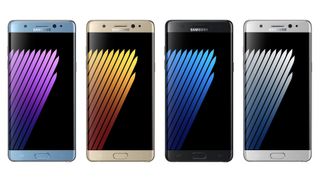
There are four Note 7 colors that vary by region: Black Onyx, Titanium Silver, Gold Platinum and the hot new color, Coral Blue. The UK, for example, is only getting Black and Blue initially. Samsung made a point that every phone has a 3.5mm headphone jack, a not-so-subtle jab at Apple, as the iPhone 7 and iPhone 7 Plus might not have the ubiquitous audio port.
Samsung did make one important switch at the bottom of the Note 7, however: it's using the reversible USB Type-C connection instead of the insufferable, non-reversible micro USB port. This makes life easier when plugging in the phone, except you're going to have to carry around a micro USB cable for many gadgets that won't upgrade to the new standard for years. GoPro is the best example, as they only recently made the switch from USB mini in the GoPro Hero4 Session variant. Even Samsung's own fast wireless charging pad sent to us along with the Note 7 uses micro USB. It's going to be a while for USB-C to fully to kick in.

Display

  • Spacious 5.7-inch AMOLED screen is the world's best on a phone
  • Mobile HDR future-proofs the display with expanded contrast ratio
  • Fewer false touches, but sensitive capacitive buttons are annoying
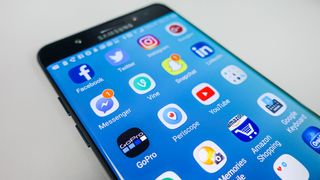
The Note 7 has a larger screen as the S7 Edge to go along with that same color-rich Super AMOLED panel and pixel-dense 2K resolution. It's perfect for the new Samsung Gear VR and also supports Mobile HDR.


Samsung Galaxy Note 7 review
The world's best display on a phone

Let's be honest, 0.2 inches of additional screen space doesn't make a tremendous difference in a world where the 5.5-inch S7 Edge exists. It's just a hair better for reading a few more words without scrolling, gaming with a smidge more room for on-screen controls without dying, and watching a 12-hour Netflix binge without feeling as badly for not stopping. It's not your fault, it's the immersive screen!
Mobile HDR, on the the hand, allows for darker blacks and brighter whites, and it's more meaningful than any size increase or jumping to a 4K resolution. It'll be up to Netflix, Amazon Prime and other popular services to deliver more content with the expanded contrast ratio. Right now, movies and TV shows with HDR are extremely limited and hard to find (often without proper labels). In the case of Netflix, HDR costs $2 a month on top of your current subscription. So the screen isn't just futuristic-looking, it's future-proof.


The Galaxy Note 7 takes Samsung s best phone to date ndash the S7 Edge ndash and it stretches it with a 5 7 inch curved display and adds an S Pen stylus It has the same top of the line camera and specs but it s meant for big hands with equally big wallets Samsung Galaxy Note 7
Off-screen memos return from the Note 5. No need to open an app or even turn on the screen

What you can enjoy right now from the screen are off-screen memos using the S Pen and an always-on display that shows the time, date, battery life and notification icons, even when the rest of the screen is asleep. An always-on display is new to the Note series and was a big hit on the S7 and S7 Edge. A few improvements have been made in the past five months. There are more color options and background choices, and more notification icons are supported.

S Pen and GIF maker

  • Samsung's stylus embeds right in the phone for easy carrying
  • Off-screen memos can capture thoughts, even if the display is unlit
  • Can create and edit animated GIFs from non-DRM videos
There's another reason the Note 7 edges don't slope so dramatically: this phone is designed to use the tiny Samsung's S Pen stylus, which has always made the Note series business-friendly. On occasion, drawing on the sides did mess up our critical business memos (aka our Snapchat game), but those instances were few and far between. It's a happy medium between fashion and functionality.


Samsung Galaxy Note 7
Want a phone with a stylus? This is the one (and pretty much the only)

We relish the fact that Samsung chose to roll all S Pen notes into one S Notes app, unlike the splintered apps on the Note 5, and that off-screen memos return for jotting down notes on the unlit screen as soon as the embedded pen is unshethed, just like the Note 5. That's great for penciling in a quick groceries list without ever opening up an app or your phone.
And now the S Pen is for more than for taking quick memos. New to the stylus' capabilities is a GIF maker. It allows you to record just about any moving image and turn it into an animated GIF. You can't record copyright-protected footage from streaming services like Google Play or Netflix (we tried), just like you can't take a mid-movie screenshot. But we were able to pull off an animated GIF of The Simpsons care of an episode uploaded to YouTube. We then edited the GIF frame by frame (to axe the frames that had the YouTube pause button overlaid on top of it in the beginning) and sent it to a TechRadar colleague. It elicited the intended hahahaha response. That's four ha's! Perfect.
Samsung Galaxy Note 7


Samsung Galaxy Note 7
There's a new GIF maker that's fun to use

Other S Pen capabilities include Screen Select for clipping portions of the screen with lasso tools, Screen Write for annotating screenshots, and newcomers Translate and Magnify. Hovering over foreign text word-by-word with the S Pen's Translate is a letdown when the far more comprehensive Google Translate exists, though we did find uses Magnify when photos and text were too small. Old people who whip out a magnifying glass to look at receipts will love this on their phone.

Iris scanner

  • With your eyes, unlock your phone and specific apps, files and photos
  • Second security layer allows you to share lockscreen code with kids
  • Doesn't replace the more reliable home button fingerprint sensor
The iris scanner won't, or shouldn't, sell you on the Note 7. It's not the breakthrough eye scanning technology that replaces the fingerprint sensor home button like you may be thinking at first pass, and to be fair, Samsung isn't marketing it as such.


Samsung Galaxy Note 7
The iris scanner won't replace your fingerprint

Instead, it's a supplemental way to unlock your phone or password protect folders, apps and photos behind a second layer of security. This is a great idea for parents who are forced (read: guilted and/or tortured) into giving their kids their password for playing game apps (read again: Pokemon Go). They won't have full access to your Secure Folder.
Here are the rare, but actual uses of the iris scanner:
  • You often exit a swimming pool or shower with incredible pruny hands and desperately need to check your phone
  • Your fingers are grasping the middle of this really big phone, unable to make it down to the home button
  • You want a second biometrically controlled way of accessing certain files and folders, far from your phone prying, Pokemon Go-playing kids
  • Your friends want you to unlock the phone from the bar stool next to you
  • You want a new party trick because no one fancies your smartwatch
The iris scanner worked well enough for us and even worked in the dark. It's not faster than putting your finger on the home button, but it's close enough and it can be a neat party trick. Only, be warned, the scanner shows an unflattering, low-resolution sliver of your face in black-and-white when it tries to read your eyes. It can be (and was) a party trick gone wrong when we tried it the first time at a party. Phone number not acquired. The phone managed still to unlock our sad face, so that's good news.